New Page
Commands
KEYBOARD COMMANDS
| Command |
Description |
Example |
!key {key} |
presses a single key |
!key space |
!type {message} |
writes a message out like a typewriter |
!type i like fortnite |
!hotkey {key} {key} ... |
presses all keys at once |
!hotkey alt tab |
!hold {key} {seconds} |
holds a key down for a certain amount of time. |
!hold tab 5 holds tab for 5 seconds |
Keyboard notes
List of "keys" that gub understands: https://pyautogui.readthedocs.io/en/latest/keyboard.html#keyboard-keys
MOUSE COMMANDS
| Command |
Description |
Example |
!mouse {direction} {amount} |
moves the mouse a specified amount in the directions listed. Can take multiple directions |
!mouse downleft 10 |
!click [left|middle|right] |
clicks the mouse. If no argument specified defauls to left click |
!click, !click right |
!scroll [down|up] {amount} |
scrolls the mouse either up or down an amount. |
!scroll down 100 |
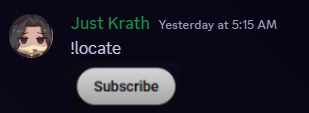
!locate (Requires your message has an attached image). |
Cursed command that will try to find the image you uploaded on gubs screen and move the mouse to it. |
 |
FIREFOX
| Command |
Description |
Example |
Aliases |
!ffstart |
boots up firefox. |
!ffstart |
|
!ffstop |
kills firefox |
!ffstop |
|
!goto {url} |
loads the specifies url in firefox |
!goto http://tacobell.com/ |
!url |
!youtube {query} |
will search youtube for whatever your query is and selects the first result |
youtube parkour civilization |
!yt |
!ffrefresh |
refreshes the page |
!ffrefresh |
|
!ffinfo |
prints info about the current page |
!ffinfo |
|
!bookmark {name} {url} |
adds a bookmark, if no url is specified it will try to use the current page |
!bookmark taco tacobell.com |
!addbookmark |
!unbookmark {name} |
removes the specified bookmark |
!unbookmark taco |
!removebookmark !deletebookmark !delbookmark |
!bookmarks |
lists the saved bookmarks |
!bookmarks |
|
!gobookmark {name} |
loads the specified bookmark |
!gobookmark taco |
!openbookmark |
!execute {javascript} |
nightmare command, injects javascript into the current page and runs it. |
!execute document.body.innerHTML = ''; -- blanks out the page |
|
Firefox Notes:
- You have to start firefox via !ffstart for the other firefox commands to work.
- Sometimes youtube will stop videos with
something went wrong refresh or try again later try fully killing and starting firefox again
OBS
| Command |
Description |
Example |
Aliases |
!start_obs |
boots up obs studio and tries to connect to the websocket server |
!start_obs |
|
!stop_obs |
stops obs |
!stop_obs |
|
!obs_status |
Checks if obs is running and if the websocket is reachable |
!obs_status |
|
!obs_configure_replay {seconds} |
Configures the duration of OBS's replay buffer |
!obs_configure_replay 120 |
|
!obs_start_replay |
starts the replay buffer function |
!obs_start_replay |
|
!obs_stop_replay |
stops the replay buffer function |
!obs_stop_replay |
|
!obs_save_replay |
saves the replay to disk and if configured will ship it to google drive |
!obs_save_replay |
!clip |
OBS Notes:
- OBS needs to be running for any of the other obs commands to work
Other Notes
You have to type the commands in the gubhub channel and you have to be a part of the "Gubbers" Role in discord.